
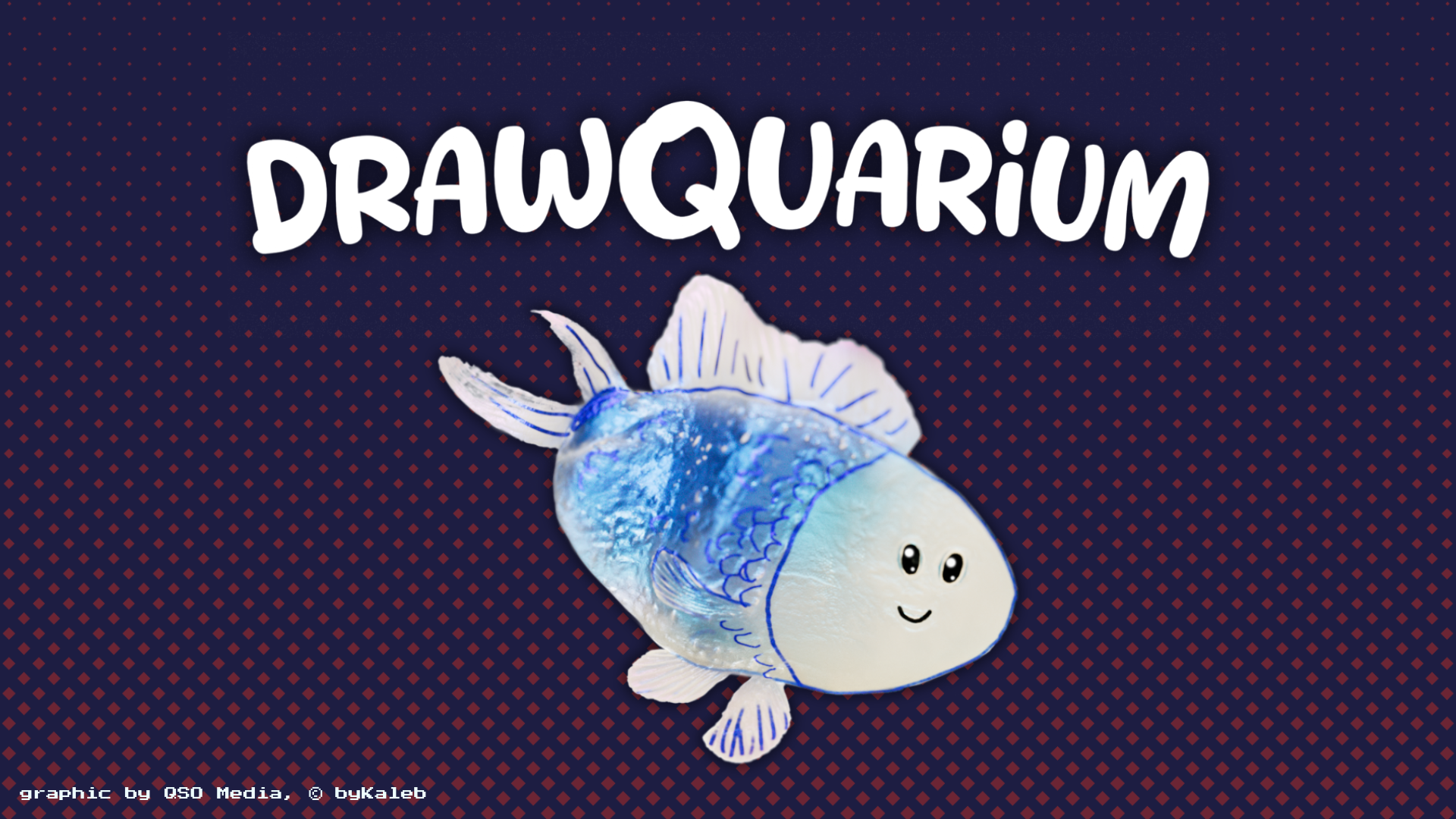
There’s truly no “betta” way to pass the time.
Drawquarium is a slow-paced creative sandbox game in which you design your own fish and the aquariums they live in. After inventing the fish from your wildest dreams, you can draw food for them to eat, plants to live among, and objects to decorate their environment. Then, after customising the lighting and sound, set the game to wallpaper mode to watch your fish hypnotically swim back and forth all day long.
Instead of a clear-cut tutorial, the game starts you off with a to-do list of gameplay tasks, designed to “provide a clearer path through the game while still letting you play at your own pace”, according to a Steam update shared by the developer, byKaleb. I was led first to create a fish, and found myself staring at a blank screen, realising I hadn’t expected to immediately conjure up a new animal and had absolutely no ideas. Thankfully, there’s a small “hint” button, just for people like me! It said “draw the eye first”, and I was instantly flooded with inspiration. I drew the weirdest little fish with a giant eyeball, and off we went.

For a small game, the depth of each gameplay feature is enough for an anglerfish to explore. I was pleasantly surprised to see the range of options provided within the drawing tool. There’s the expected colour wheel, brush, eraser, fill tool, line tool, and symmetry tools – but there’s also a variety of settings to tweak each tool to your liking. This might not matter to everyone, but as an artist who often works digitally, I can find myself frustrated by the limitations in games like this. Being able to have greater control over brush settings (and even apply clipping masks!) was appreciated.
Despite the complexity offered, the drawing tool doesn’t feel overwhelming or unclear. It isn’t essential to have a background in digital art to create something you’re proud of. Those who want to use more options have them readily available, and those who don’t won’t get lost in the sauce. I really liked the default brush and colour options provided too, and found myself using them as a starting point most of the time. It would be nice to be able to bookmark brush settings, similarly to how you can bookmark colours, though, as I kept tweaking my brush to the same specs over and over.

After my first fish was released into the tank, I was prompted to make a friend, then shown how to create and place my own plants and make changes to the environment. Here I was again impressed by the scope and endless possibilities the game holds. When placing plants and objects, you can move so seamlessly between foreground and background, with a huge range of visual depth applied to your own attributes.
Despite my designs being kinda funky, this gave my plants a sense of realism I enjoyed greatly. You can edit the actual tank itself in every way imaginable, too. The water, sand, lighting, rocks, and logs all have colour overlay options, as well as size, shape, and texture settings too. The background can be swapped to a range of preset options, or you can upload your own.
Now that I’d customised my tank, the gameplay task list took me through setting up wallpaper mode and how to get back to the game. It’s pretty straightforward, and with some slight graphical adjustments to fit my PC specs better, I had a peaceful aquarium hanging out on my second screen whilst I worked. By this point I was getting pretty attached to my fish creations, so watching them swim around was an enjoyable break from working.
The wallpaper overlay initially features a clock, and it seems with further gameplay progression, some productivity features such as a to-do list, timer, and a journal for taking notes. I’m a big fan of productivity games, so adding this feature into the wallpaper mode is a big plus.

The sound design of this game is fantastic, and wallpaper mode is where it especially shines for me. I’ve never played a game that allowed you to choose an interval for the background music to loop on, but now I want all games to feature it! The repetitive nature of cosy games means I almost always turn the sound off after a while, but having the silence in between the looping to just enjoy the gentle water and bubble sounds helped a lot with the pacing of the backing track.
Water and bubble sounds aren’t the only ambient noise in the game – much like the other tank features, there’s a whole host of sounds to toggle on/off and adjust. I picked birdsong, and the addition helped me lock in on work even easier.

My fish became best friends, and I was guided on how to feed them in order to raise them to adulthood. The fish gain XP whenever they eat and then leave behind a coin, which can be used to purchase templates, stamps, and other fun features for your tank.
You truly have the ability to create everything in this game, including the food for the fish, leading to some fun concepts. Frustratingly, every time you try to feed the fish, you’re prompted to design the food first. As the game became a bit more idle and my focus switched to trying to level up my fish instead of creating more for the tank, this got old fast. It would be nice if there was a way to toggle this off.
Raising my fish to adulthood was tedious for other reasons, too. There’s no indication in the aquarium that each fish is hungry – though it shows if you open up the fish profiles. This made targeting specific fish difficult, as I didn’t know when they’d be hungry. I ended up with a lot of rotting food to clean out of the tank as a result, but then the cleaning tool would scare away the fish. It’s a cute feature that adds to the liveliness of the game, but irritating when I want them to stick around and gain XP. I also couldn’t really enjoy the wallpaper mode and raise their level simultaneously. Some sort of autofeeding feature would be great for this.
Once your fish are level 25, they can breed with other adult fish in your tanks. I felt a little disappointed in this feature. I was hoping my weird creations would overlap somehow to create a brand new weird creation. Instead, when I bred my fish, an exact copy of one was opened in the drawing tool, and I was prompted to draw the fish myself.

This fish then had a badge that stated it was the offspring of two other fish, but otherwise, there was no real significance to breeding the fish rather than creating one from scratch. I suppose the badge could allow for some creative storytelling, but I’d really like to see this feature reworked a little and for there to be a reason to breed the fish.
I think Drawquarium has so much potential. In the time I’ve played, I feel like I’ve barely scratched the surface of what’s available. I didn’t get a chance to play with the bioluminescence tools or “disco mode” yet, and I’m really looking forward to trying them out.
I also think this could be a super fun multiplayer experience. Whilst the game doesn’t have specific multiplayer capabilities, screen sharing or sitting around a PC screen with friends and creating a bunch of silly fun fish is bound to spark numerous new inside jokes. I mean, one of the auto-generated names I got was Knob, so, you know, I kinda had to lean into it. Imagine that, but it’s your closest friends giving you terrible ideas to pursue?

I’ve also seen other players adding Pokémon, Sanrio, and SpongeBob SquarePants characters into the game, alongside detailed aquarium items to bring these worlds to life. I suspect this is helped by the import feature, which allows PNGs to be directly added to the game, enabling you to design in other drawing software first if that’s easier for your brain. I’m quite excited to build multiple aquariums with my friends, solo, and focusing on different things I care about (I’d like to design some bird-fish combos…)
Overall, I’d describe Drawquarium as truly a sandbox game in every way you could want. Your creativity has no limits here, and it’s so much fun to watch everything come to life. Any issues I had were just mildly annoying, and the dev seems very receptive to feedback, so I can easily see further QOL features being added over time. I’d highly recommend it to fans of Spirit City: Lofi Sessions, Tiny Glade, Townscaper, and other similar creative sandbox or productivity games.
Drawquarium is available now on Steam for £9.99.
Milly Lozinski is an artist, graphic designer, and shiny hunter. You can follow her on Bluesky.
The RNLI saves hundreds of lives at sea every year via their lifeboat crews and lifeguards. You can support their crucial work here.
Enjoy QSO Media’s content? Support alternative LGBTQIA+ journalism by buying us a Ko-Fi.


Leave a Reply